In 2025, building powerful AI agents no longer requires a team of developers or deep programming knowledge. No-code platforms have matured dramatically, allowing small business owners, marketers, solopreneurs, and even non-technical teams to create autonomous AI agents that handle complex, multi-step workflows—often in minutes rather than weeks.
These agents can qualify leads, manage customer support, automate content distribution, process invoices, book appointments, and much more, all while integrating with your existing tools (Gmail, Slack, HubSpot, Google Sheets, etc.).
This step-by-step guide shows you exactly how to build custom AI agents without writing a single line of code, using the best no-code platforms available in December 2025.
Why No-Code AI Agents Are a Game-Changer in 2025
- Speed — Go from idea to live agent in under an hour
- Cost — Most platforms start free or under $50/month
- Flexibility — Easily update logic as your business changes
- Scalability — Agents work 24/7 without additional headcount
- Accessibility — Anyone who can write clear instructions can build them
Top No-Code Platforms for Building AI Agents in 2025
| Platform | Best For | Starting Price (Dec 2025) | Key Strengths | Integrations |
|---|---|---|---|---|
| Lindy | General business automation | Free tier, $29+/mo | Natural language agent builder, memory, 200+ integrations | Gmail, Slack, HubSpot, Notion, Airtable |
| Relevance AI | Agents with your own knowledge base | Free tier, $49+/mo | Custom data sources, modular agents, fine-tuning | Google Drive, Confluence, PDFs, websites |
| Voiceflow | Voice + chat agents (customer support) | Free tier, $40+/mo | Conversational design, telephony, multilingual | Dialogflow, Twilio, WhatsApp |
| SmythOS | Complex multi-agent systems | $59+/mo | Visual workflow builder, parallel agents, memory | 300+ apps |
| Make (formerly Integromat) + AI modules | Advanced automation with AI | Free tier, $9+/mo | Visual scenarios, AI actions, error handling | 1,500+ apps |
| n8n (self-hosted or cloud) | Open-source flexibility | Free (self-hosted) | Full control, custom nodes, community templates | Everything |
| Zapier Central | Simple agents for beginners | Included in Zapier plans | Easy setup, 6,000+ apps, natural language prompts | Most popular tools |
| CrewAI (via no-code wrappers like AgentGPT or Flowise) | Multi-agent teams | Varies | Orchestrate multiple specialized agents | Custom |
For most users in 2025, Lindy and Relevance AI offer the best balance of power, simplicity, and affordability.
Step-by-Step: Build Your First Custom AI Agent (No Code Required)
Let’s walk through a real example: an Inbound Lead Qualification Agent that works with Gmail and HubSpot.
Step 1: Choose Your Platform
Sign up for Lindy (lindy.ai) or Relevance AI (relevance.ai)—both offer generous free tiers.
Step 2: Connect Your Tools
In the platform dashboard:
- Connect Gmail (or your email provider)
- Connect HubSpot (or your CRM)
- Connect Slack or Microsoft Teams for notifications
- Connect Google Calendar for scheduling
Most platforms use OAuth, so it takes seconds and is secure.
Step 3: Create the Agent Using Natural Language
In Lindy or Relevance AI, click “Create Agent” and describe what you want in plain English:
“When a new email arrives in my inbox with the subject containing ‘demo’, ‘pricing’, or ‘quote’, read the email, identify the sender’s company and role, ask 3 qualifying questions (budget, timeline, and pain point), and decide if they’re a good fit. If yes, add them as a lead in HubSpot, create a task for me, and schedule a 15-minute discovery call. If no, send a polite ‘not a fit’ reply. Always keep a memory of past interactions with the same contact.”
The platform will automatically generate the agent’s logic, prompts, and integrations.
Step 4: Customize and Add Memory
- Add your brand voice or specific templates (e.g., “Always sound professional and friendly”)
- Upload your FAQ or knowledge base so the agent answers common questions accurately
- Set up memory so it remembers previous conversations with the same person
Step 5: Test Thoroughly
Most platforms have a “Test Mode”:
- Send test emails to yourself
- Watch the agent respond, update your CRM, and schedule meetings
- Refine prompts if needed (e.g., “Always ask about decision-maker authority”)
Step 6: Go Live and Monitor
- Turn the agent on
- Set up notifications so you’re alerted when it needs human input
- Review performance weekly and tweak as necessary
In under 30 minutes, you’ll have a fully functional lead-qualification agent that works 24/7.
Real-World Examples of No-Code AI Agents in Action
- E-commerce store — An agent monitors Shopify orders, detects high-value customers, and sends personalized thank-you messages with upsell offers.
- Marketing agency — An agent researches LinkedIn profiles of prospects, drafts personalized outreach emails, and schedules follow-ups.
- Local service business — An agent handles appointment bookings via email or WhatsApp, checks availability, sends reminders, and upsells add-ons.
- Freelancer — An agent triages client inquiries, qualifies them, sends your pricing sheet, and books discovery calls.
- Non-profit — An agent processes donation acknowledgments, updates donor records, and sends personalized thank-you notes.
Best Practices for Success
- Start with one clear, high-value workflow
- Use human oversight for high-stakes decisions (e.g., always require approval before sending large quotes)
- Document your agents’ behavior so your team understands them
- Regularly review logs and refine prompts—agents get smarter with feedback
- Choose platforms with strong data privacy (SOC 2, GDPR compliance)
The Future of No-Code AI Agents
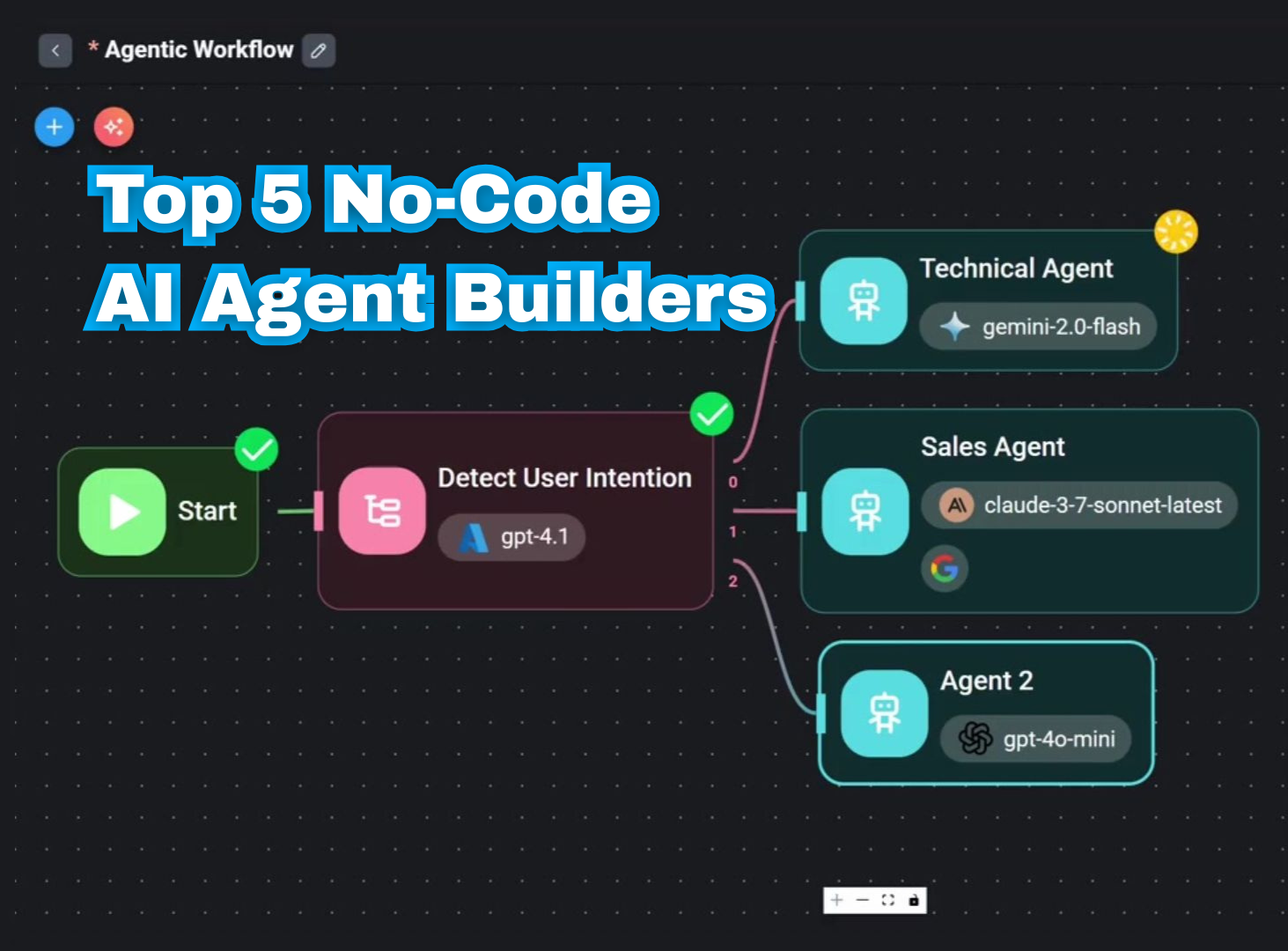
By late 2025, platforms are introducing multi-agent “teams” (e.g., a lead-qualifier agent that hands off to a proposal-writing agent, then to a scheduler). Pricing is dropping, and integrations are expanding—making sophisticated automation accessible to every business.
Ready to Build Your First Agent?
No-code AI agents are one of the fastest ways to gain a competitive edge in 2025. Pick a repetitive task that frustrates you, sign up for Lindy or Relevance AI, and describe what you want the agent to do.
You’ll be amazed at how quickly it becomes your most reliable team member.
What workflow would you automate first? Drop your idea in the comments—I’m happy to suggest exact prompts or platform recommendations!
About the Author